
Document Recycle Bin
📅 November 21, 2026
👁️ 0
Document Recycle Bin
The document recycle bin is used to view deleted documents and perform recovery or permanent deletion.
Entry Path
Top menu → 'Content' → 'Document List' → 'Document Recycle Bin'. Actual address:/system/archive/recyclerequires administrative privileges(canAdmin)
Function description
The page lists the ID, title, thumbnail, and document model of deleted documents, and provides recovery and permanent deletion operations. Documents not deleted will not appear here.
Screenshot of the interface
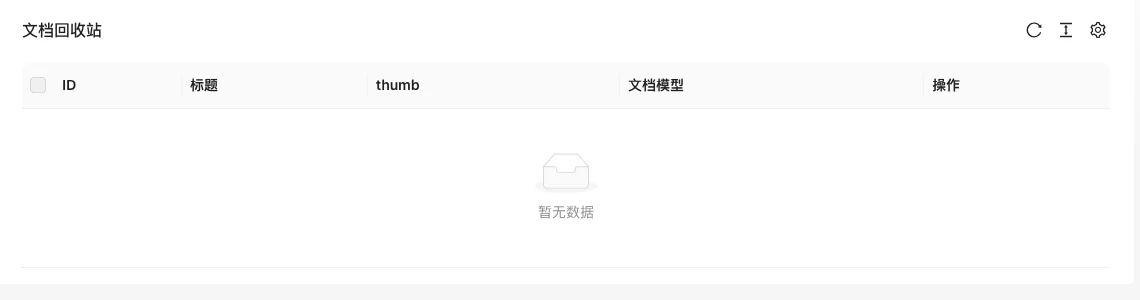
The screenshot is from the demonstration environment, the table may be in an empty data state; the position of the fields and the operation entry should be based on the current backend interface.
List field description
| field | Meaning | Value or source | Impact on the operation |
|---|---|---|---|
| ID | Original document number | Back-end record, read-only | Used for identification and filtering, cannot be directly edited |
| Title | Document title | Back-end record, read-only | Used for identification and filtering, cannot be directly edited |
| thumbnail | Has thumbnail | Back-end record, read-only | Used for identification and filtering, cannot be directly edited |
| Document model | Model before deletion | Back-end record, read-only | Used for identification and filtering, cannot be directly edited |
| Operation | Recover, permanent deletion | Back-end record, read-only | Used for identification and filtering, cannot be directly edited |
| Meaning | |||
| :— | :— | ||
| ID | Original document number | ||
| Title | Document title | ||
| thumbnail | Has thumbnail | ||
| Document model | Model before deletion | ||
| Operation | Recover, permanent deletion |
Operation steps
- Enter 'Content → Document List → Document Recycle Bin'.
- Find the document to be recovered and click recover.
- Confirm the document no longer needed and click permanent deletion.
Applicable scenarios and suggestions
- After mistakenly deleting a document **time has elapsed and it has been restored to the recycle bin, check if the original category and status meet expectations after recovery.
- Regularly clear out unnecessary documents to avoid堆积 in the recycle bin.
Points to note
- Permanent deletion cannot be restored, confirm that the document is no longer needed before the operation.
- The document status may remain as it was before deletion (such as draft), and if necessary, manually change it to normal release.
- When the recycle bin is empty, the list displays 'No data', which is a normal phenomenon.