
301 Redirect Management
301 Redirect Management
301 Redirect Management is used to configure redirection from old links to new links, often used to retain SEO weight after a revamp.
Entry Path
Top menu of the background → 「Function」→「System Function」→「301 Redirect Management」。Actual address:/system/plugin/system/redirectrequires administrative privileges(canAdmin)
Function description
The page supports adding links, importing links, and lists display ID, source link, redirect link, and operations.
Screenshot of the interface
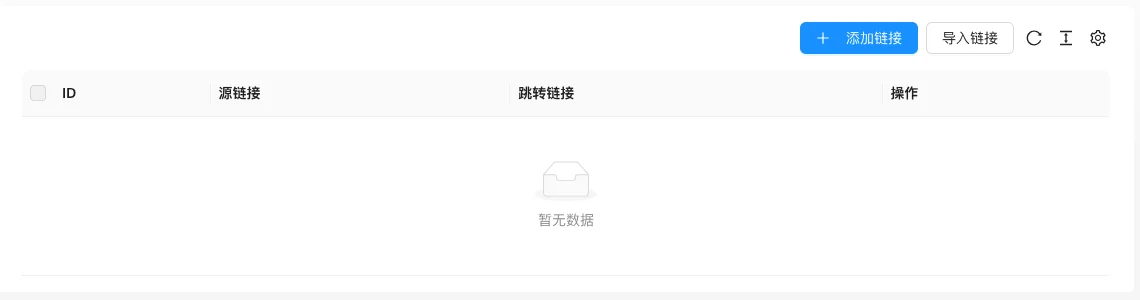
The screenshot is from the demonstration environment, the table may be in an empty data state; the position of the fields and the operation entry should be based on the current backend interface.
Setting item description
| Setting items | function | Value / Default | How to select / Fill in suggestions | Impact / Note |
|---|---|---|---|---|
| Source Link | The old address visited by the visitor | Text, No Default [Source Code] | Identical to the old URL (including path and parameters) | Redirect does not work if it does not match |
| Redirect link | The actual new landing address | Text, No Default [Source Code] | Enter the complete address of the new page | — |
| Import link | Batch import redirect rules | Only supports CSV; download the template first and then upload [source code] | Use CSV when there are many rules | Import will fail if the format is incorrect |
Detailed explanation of configuration items
Rule matching
Condition for occurrenceAdd jump rule when [source code].
The source link must be identical to the old URL, including the path and parameters. Do not set circular redirection (A→B and B→A), otherwise the page cannot be opened.
Recommended valueAfter website revision, URL rule change, or domain replacement, establish 301 rules for all old links with traffic.
Consequences of filling in incorrectlyIncorrect rules will cause redirection failure or loop, affecting inclusion and user experience; too many rules will affect performance, and old rules with no traffic should be cleaned regularly.
Operation steps
- Enter 「Function → System Function → 301 Redirection Management」.
- Click 「Add Link」 to fill in the source link and target link.
- Download the CSV template for batch scenarios, fill it out and use the 'import link'.
- Access the old link to confirm the redirection to the new address.
Operation steps
- Enter 「Function → System Function → 301 Redirection Management」.
- Click 「Add Link」 to fill in the source link and target link.
- Batch scenarios are available using the 'import link'.
- Access the old link to confirm the redirection to the new address.
Applicable scenarios and suggestions
- Use when the website is redesigned, URL rules change, or the domain name is changed.
- Use the import feature first when there are many old links, to avoid adding them one by one.
Points to note
- The source link must be completely consistent with the old URL, including the path and parameters.
- Do not set up circular redirection, or the page will not open.
- Too many rules will affect performance, so clean up old rules with no traffic regularly.