
Friend Links Management
📅 November 21, 2026
👁️ 0
Friend Links Management
Friend link management is used to maintain links to other sites from this site and provides a friend link API for third-party access.
Entry Path
Top menu of the background → 'Function' → 'System Function' → 'Friend Link Management'. Actual address:/system/plugin/system/friendlinkrequires administrative privileges(canAdmin)
Function description
The page supports adding friend links, exporting/importing, and viewing the 'Friend Link API'. The list fields include ID, keywords/links of the other party, contact information 备注, and time added.
Screenshot of the interface
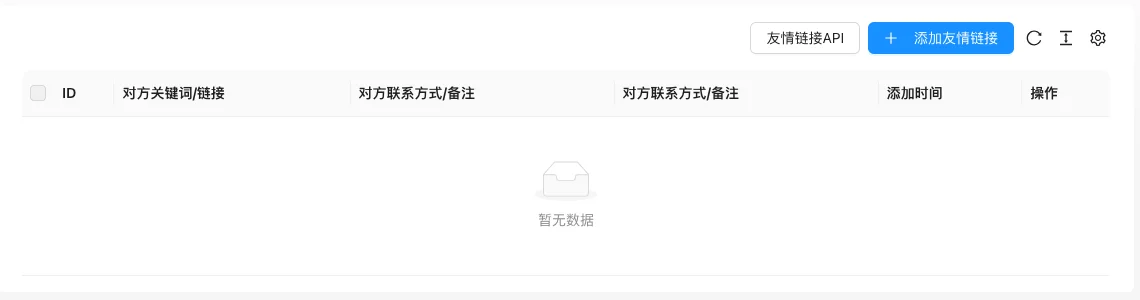
The screenshot is from the demonstration environment, the table may be in an empty data state; the position of the fields and the operation entry should be based on the current backend interface.
Setting item description
| Setting items | function | Value / Default | How to select / Fill in suggestions | Impact / Note |
|---|---|---|---|---|
| Keywords/links of the other party | Display name and target address of the friend link | Text, No Default [Source Code] | Fill in the name of the other party's site and complete URL | Templates are called according to groups to display |
| Contact information 备注 of the other party | Information for background maintenance | Text, No Default [Source Code] | Record the contact information of the other party for subsequent communication | Only visible to the background |
| Add time | Creation time | Read-only | — | — |
| Operation | Modify / Delete | — | Confirm before deleting that it is no longer needed | Deletion cannot be recovered |
Operation steps
- Enter 「Function → System Function → Friend Link Management」.
- Click 「Add Friend Link」 and fill in the name, link, and remarks.
- Use import and export functions when batch maintenance is needed.
- View 「Friend Link API」to get the external interface address.
Applicable scenarios and suggestions
- Friend links are used for complementary site traffic exchange, prioritize content-related and reliable sites.
- Regularly check the validity of the links and clean up expired links.
Front-end call example
{% linkList links with type="text" %}
  {% for item in links %}
    <a href="{{ item.Link }}" target="_blank">{{ item.Title }}</a>
  {% endfor %}
{% endlinkList %}
Points to note
- The notes may contain the contact information of the other party, be careful about privacy when screenshotting and exporting.
- If the other party's link is expired, it will not affect this site, but it will affect the user experience. It is recommended to check regularly.
Related documents
- 301 Redirect Management
- Document List
- template tag manual.
linkList