
Backend Feature Introduction
📅 November 21, 2026
👁️ 0
Backend Feature Introduction
AnQi CMS backend is divided into several modules according to functions, this page provides an overall map for quick access to the usage help of the corresponding modules.
Entry Path
Backend address: under the site root directory/system/, log in to enter/system/dashboard. Different modules require different permissions: settings, content, features, design, data, administrators usually needcanAdmin, multi-site management is requiredcanSuper.
Function description
The corresponding relationship between the top menu of the backend and each help group is as follows:
| Backend menu | Help group | Main content |
|---|---|---|
| Home | Home page and system | Data overview, quick operation, system upgrade |
| setting | setting | Global, contact information, content, security, sensitive words, TDK, slide, navigation, payment, AI, currency |
| content | content | Document list, recycle bin, category, tag, single page, content model, image resources, urban management |
| Function → SEO/GEO | SEO/GEO | Static, push, Sitemap, Robots, LLMs, structured data |
| Function → Interaction/Leave a message | Interaction/Leave a message | Document comments, website messages |
| Function → Content production | Content Production | Anchor text, keywords, materials, collection, import interface, migration, image matching, AI writing, scheduled release |
| Function → User/Transaction | User/Transaction | User, User Group, Order, Payment, Finance, Distribution |
| Function → Reach Channels | Channel of Contact | Email, SMS, Subscription, Official Account, Mini Program, Anti-spam, Google Authorization, Message Channels |
| Function → System Function | System Function | Friend Link, Verification File, 301, Storage, Full-text Search, Backup, Replacement, Cache, Protection, Watermark, Translation |
| Design | Design | Template Management, Development Documentation, Design Market, Template Content Settings |
| data | data | Document Statistics, Real-time Data, Conversion, Order/Product/Customer Overview, Search, Spider, Traffic, Inclusion |
| Administrator | Administrator | Account, Group, Login Record, Operation Record |
| Multi-site management | Multi-site | Multi-site, Multi-language |
| order | order | Order, Cancelled/In-Transit Order, Communication Order, Order Service, Logistics |
| product | product | Product, Category, Review, Product Editing |
| Customers | Customers | Customer, Group, Message, Wish List |
| Marketing | Marketing | Automated Marketing, Subscription, Google Merchant |
| discount | discount | Coupons, Discounts, Promotional Activities |
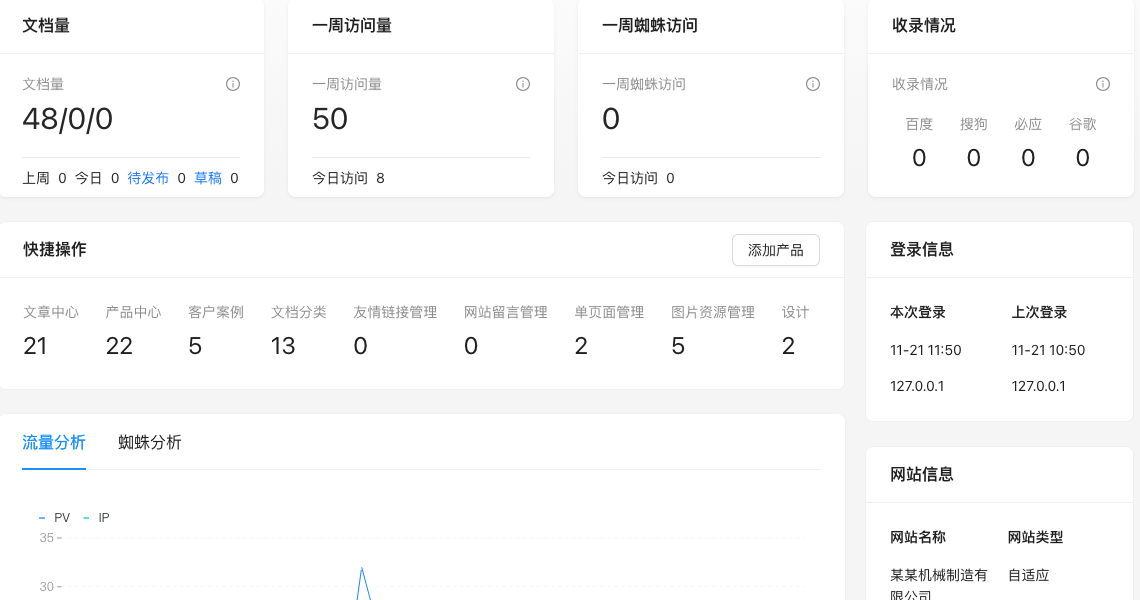
Screenshot of the interface
Setting item description
This page is a navigation overview. There are no editable settings. The corresponding relationship between each backend menu and the help group is shown in the table above.
| Setting items | function | Value / Default | How to select / Fill in suggestions | Impact / Note |
|---|---|---|---|---|
| — | This page has no configuration items on this site. | — | — | — |
Operation steps
- Find the target module in the top menu.
- Enter the detailed feature usage help from the corresponding group on this page.
- Open the corresponding page in the backend according to the entry path in the document.
Points to note
- Menu visibility is controlled by the administrator group permissions. If you can't see a menu, check the account permissions.
- The mall-related menus need to be switched to mall mode first in 'Global Settings → Operation and SEO Status'.
- The multi-site menu is only visible to super administrators.