
Google Authorization
📅 November 21, 2026
👁️ 0
Google Authorization
Google Authorization is used to configure Google OAuth login and Places API, supporting users to log in with Google accounts and enable address auto-completion.
Entry Path
Top menu of the background → 'Function' → 'Touch Channels' → 'Google Authorization'. Actual address:/system/plugin/channel/googlerequires administrative privileges(canAdmin)
Function description
Display the page callback address and fill in Client ID, Client Secret, and Places API Key.
Screenshot of the interface
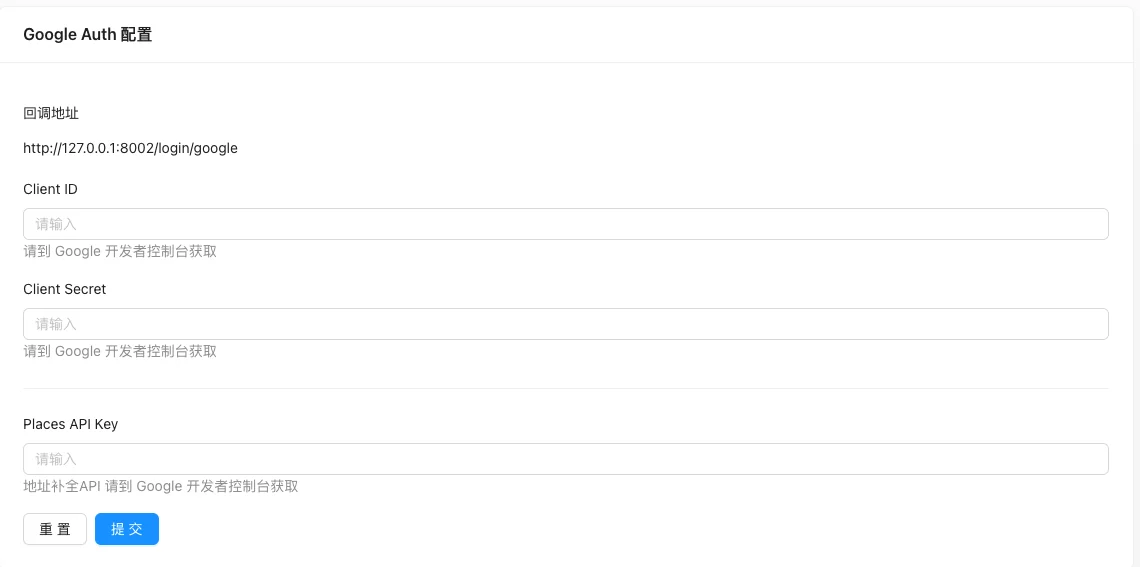
Setting item description
| Setting items | function | Value / Default | How to select / Fill in suggestions | Impact / Note |
|---|---|---|---|---|
| Callback address | Google OAuth Callback URL | Likehttp://域名/login/google; Need to fill in the Google Console |
Enter real and valid information, the format must meet the platform requirements | Contains personal information, be careful to desensitize when exporting and screenshot |
| Client ID | OAuth Client ID | Obtained from Google Developer Console | Generated by system or fill according to platform requirements | ID changes will affect related data |
| Client Secret | OAuth Client Secret | Sensitive information | Obtained from the corresponding platform, do not use real values for demonstration | Sensitive information, leaking is equivalent to leaking privileges |
| Places API Key | Address Completion API Key | Obtained from Google Developer Console | Enter real and valid information, the format must meet the platform requirements | Contains personal information, be careful to desensitize when exporting and screenshot |
Operation steps
- Create an OAuth client in the Google Developers Console.
- Enter the callback URL displayed on the page into the authorization redirect URI in the console.
- Return to this site and fill in the Client ID, Client Secret, and Places API Key.
- Click 'Submit' to save and test the Google login on the frontend.
Applicable scenarios and suggestions
- The site suitable for overseas users is suitable for enabling Google login.
- Places API is used for address completion, which can improve the order experience.
Points to note
- Client Secret and API Key are sensitive information, do not write them into public documents or screenshots.
- The callback URL must be consistent with the Google console configuration, otherwise the authorization will fail.
- The domestic network environment cannot access Google services stably, please confirm the availability before opening.