
Message Channels
Message Channels
The message channel is used to connect to external chat platforms, configure identity binding, session targets, notification rules, and view running records.
Entry Path
Top menu of the background →「Function」→「Reach Channels」→「Message Channel」。Actual address:/system/plugin/channel/channelsrequires administrative privileges(canAdmin)
Function description
The page is divided into five tabs: 'Channel Connection', 'Identity Binding', 'Session Target', 'Notification Rules', 'Run Record', supporting the creation of new channels. The channel list displays name, platform, enabled status, chat management, reception intelligent body, connection status, and creation time.
Screenshot of the interface
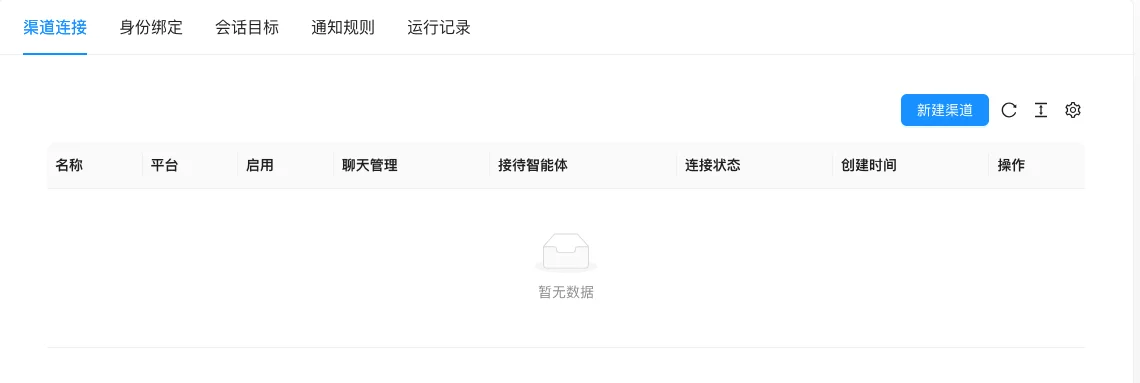
The screenshot is from the demonstration environment, the table may be in an empty data state; the position of the fields and the operation entry should be based on the current backend interface.
Setting item description
| Setting items | function | Value / Default | How to select / Fill in suggestions | Impact / Note |
|---|---|---|---|---|
| Channel Connection | Create and configure a third-party platform connection | Channel name/platform/enabled status [source code] | Create according to the actual platform used | Connection status can be viewed in the list |
| Identity Binding | Bind the external account with the website user or administrator | Binding relationship | Bind as per business requirements | — |
| Session target | Decide who to forward the message to | Target configuration | Set to receive customer service / agent | Configure messages that no one handles incorrectly |
| Notification rules | Configure which events trigger notifications | Rule Configuration | Enable as Needed | Wide Messages May Spam Notifications |
| Run Records | View Connection and Message Handling Logs | Read-only | — | Check When Troubleshooting |
Operation steps
- Go to ‘Function → Reach Channel → Message Channel’.
- Switch to ‘Channel Connection’, click ‘Create New Channel’.
- Select a platform and fill in the connection parameters.
- Configure identity binding, session target, and notification rules.
- Check the connection status and message processing in the 'Run Record'.
Applicable scenarios and suggestions
- Use it to integrate customer inquiries into the background when needed.
- First configure a channel for trial operation, and then expand to other platforms.
Points to note
- Channel credentials are sensitive information and should not be written into public documents or screenshots.
- When the connection status is abnormal, first check the error information in the run record.
- Setting the notification rules too broadly can cause message harassment, enable as needed.