
WeChat official account
📅 November 21, 2026
👁️ 0
WeChat official account
The official WeChat account is used to configure automatic replies, menus, and basic information of the official account, and record the interaction of the official account messages.
Entry Path
Top menu of the background → 'Function' → 'Touch Channels' → 'WeChat Official Account'. Actual address:/system/plugin/channel/wechatrequires administrative privileges(canAdmin)
Function description
The page is divided into three areas: 'Automatic Reply Settings', 'Menu Settings', and 'WeChat Official Account Settings', and shows the interaction record of messages below.
Screenshot of the interface
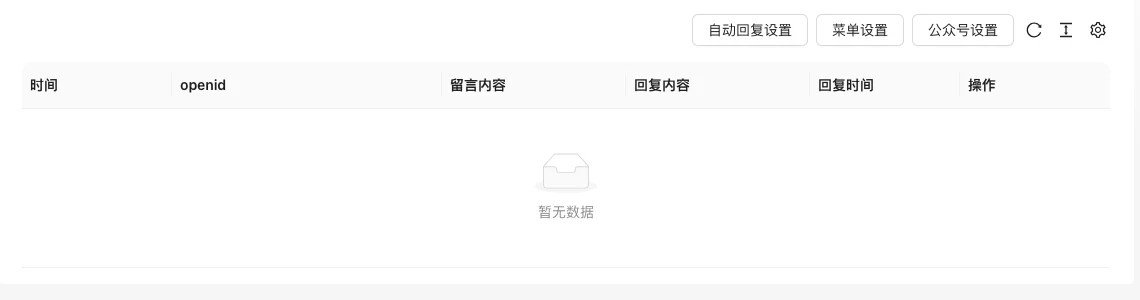
The screenshot is from the demonstration environment, the table may be in an empty data state; the position of the fields and the operation entry should be based on the current backend interface.
Setting item description
| Setting items | function | Value / Default | How to select / Fill in suggestions | Impact / Note |
|---|---|---|---|---|
| Automatic reply settings | Configure keyword reply and default reply | Configuration items can be found in the WeChat official account background | Set keywords according to common consultation | Affects user interaction experience |
| Menu settings | Maintain the bottom menu of the WeChat official account | Menu structure | Keep consistent with the website navigation | — |
| Public account settings | Fill in the docking parameters | AppID / AppSecret, no default [source code] | From the WeChat Public Platform | The key is sensitive information |
| Leave message interaction records | Display openid and message content | Read-only | — | Contains user information, pay attention to desensitization when screenshotting |
Operation steps
- Go to「Function → Reach Channels → WeChat Public Account」.
- Fill in the docking parameters in the 'Public Account Settings'.
- Configure automatic replies and menus.
- View and handle user messages in the message record.
Applicable scenarios and suggestions
- Keep the naming of the public account menu consistent with the website navigation to reduce user cognitive cost.
- Automatic replies cover common questions, and complex issues are transferred to manual handling.
Points to note
- Credentials such as AppSecret are sensitive information and should not be written in public documents or screenshots.
- The records contain openid and message content, please pay attention to privacy protection.
- After configuration, server address verification must be completed on the WeChat Public Platform.