
Mini Program WeChat
📅 November 21, 2026
👁️ 0
Mini Program WeChat
WeChat Mini Program is used to configure the AppID, AppSecret, and message push server parameters of the Mini Program.
Entry Path
Top menu of the background →「Function」→「Touch Channels」→「WeChat Mini Program」。Actual address:/system/plugin/channel/weapprequires administrative privileges(canAdmin)
Function description
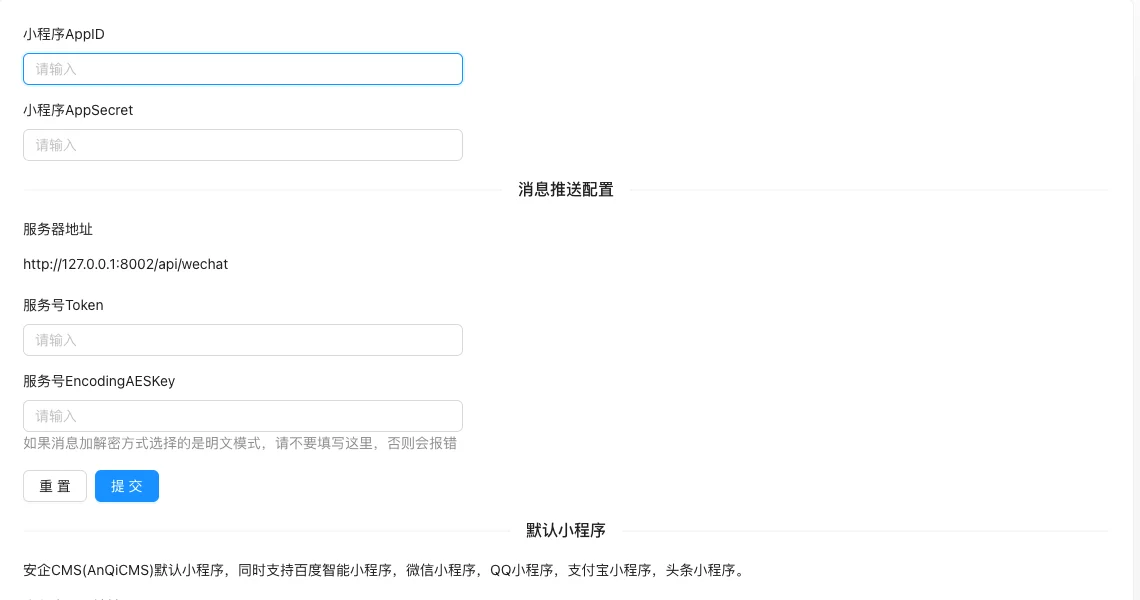
Fill in the Mini Program credentials and message push configuration on the page, and provide a default Mini Program source code download link。
Screenshot of the interface
Setting item description
| Setting items | function | Value / Default | How to select / Fill in suggestions | Impact / Note |
|---|---|---|---|---|
| Mini Program AppID | Mini Program **Identifier | Obtained from the WeChat Public Platform | Generated by system or fill according to platform requirements | ID changes will affect related data |
| Mini Program AppSecret | Mini Program Key | Sensitive information, do not disclose | Obtained from the corresponding platform, do not use real values for demonstration | Sensitive information, leaking is equivalent to leaking privileges |
| Server address | Message push receiving address | Such ashttp://域名/api/wechat |
Enter real and valid information, the format must meet the platform requirements | Contains personal information, be careful to desensitize when exporting and screenshot |
| Service Number Token | Message Verification Token | Must be consistent with WeChat backend | Obtained from the corresponding platform, do not use real values for demonstration | Sensitive information, leaking is equivalent to leaking privileges |
| Service Number EncodingAESKey | Message Encryption/Decryption Key | Do not fill in plain text mode, or an error will occur | Obtained from the corresponding platform, do not use real values for demonstration | Sensitive information, leaking is equivalent to leaking privileges |
Operation steps
- Go to 'Function → Touch Channel → WeChat Mini Program.'
- Fill in AppID and AppSecret.
- Configure server address and Token.
- Determine whether to fill in EncodingAESKey according to the actual encryption/decryption method.
- Configure on WeChat Public Platform after saving.
Applicable scenarios and suggestions
- The default mini-program supports WeChat, Baidu Smart, QQ, Alipay, and Toutiao mini-programs, and can be used as needed.
- Message push configuration is used to receive customer service messages and notifications within the mini-program.
Points to note
- Filling in EncodingAESKey in plain text mode will cause the message verification to fail.
- Do not write key information in public documents or screenshots.
Related documents
- WeChat official account
- Message Channels
- API Documentation Overview