
Payment Configuration
Payment Configuration
Payment configuration is used to maintain the account of the mall's payment method, view the health status of the account, and transaction statistics.
Entry Path
Top menu →「Function」→「User/Trade」→「Payment Configuration」. Actual address:/system/plugin/commerce/payrequires administrative privileges(canAdmin)
Function description
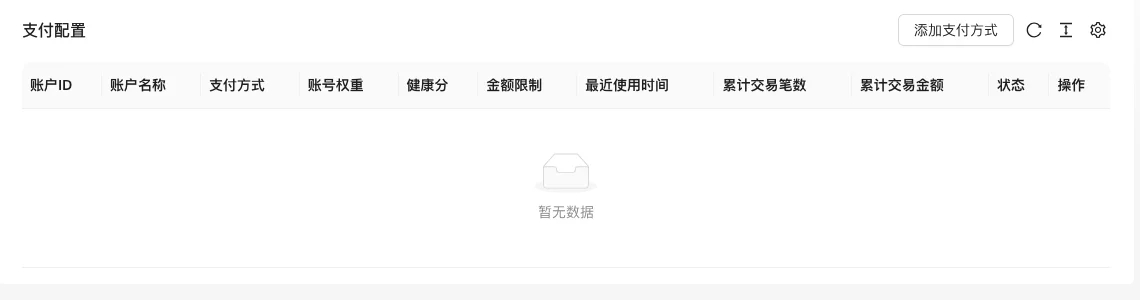
This page corresponds to the same function as 「Settings → Payment Settings」, displaying the payment account list and supporting the addition of payment methods. Fields include account ID, account name, payment method, account weight, health score, amount limit, recent use time, total transaction volume, total transaction amount, status.
Screenshot of the interface
Setting item description
| Setting items | function | Value / Default | How to select / Fill in suggestions | Impact / Note |
|---|---|---|---|---|
| Account Name | Name used by the back-end | Text, No Default [Source Code] | Such as 'WeChat Main Account' | List display, can mark default |
| Status | Is the account available | radio: 1 normal / 0 disabled / 2 risk control pause [source code] | New account is normal | 2 is risk control suspended |
| Default | Is the default payment account | checkbox [source code] | Select one multi-account | — |
| Health score / weight | Account rating and priority | Number, default 0 [source code] | Fill in according to actual situation | — |
| Daily / Monthly / Limit Amount | Account Transaction Limit | Number (yuan), default 0 [source code] | Set according to channel capacity | Amount submitted ×100 to be stored as fractions |
| Payment method | Payment channel | Required radio, 9 channels [Source Code] | Select by channels already in use | Determining certificate field |
| Gateway credentials | Channel authentication parameters | Linked with payment method [Source Code] | Obtained from the channel backend | Sensitive information, do not disclose |
| Sandbox | Test mode | radio: On / Off [Source code] | Enable during integration testing, turn off before going live | No such option in Tiger Skin Chili |
Detailed explanation of configuration items
Payment method联动with credentials
Condition for occurrence:When pay_way is not empty and not offline, the entire set of credentials is displayed [source code].
9 channels: WeChat payment, WeChat Mini Program payment, Alipay, PayPal, Stripe, Tiger chili, NOWPayments, Balance payment, Offline payment [source code]. The fields of credentials for each channel are different (AppID, key, certificate, etc.).
Consequences of filling in incorrectly:Incorrect credentials will cause payment failure; amount should be filled in as 'Yuan', system ×100 stored as 'fen', filling in wrong will be magnified 100 times.
Operation steps
- Enter「Function → User/Transaction → Payment Configuration」.
- Click 'Add Payment Method' and select the payment method.
- Fill in the account name, status, and corresponding credentials.
- First enable sandbox testing, and then disable the sandbox and enable the account after verification.
Operation steps
- Enter「Function → User/Transaction → Payment Configuration」.
- Click「Add Payment Method」to fill in the channel parameters.
- After saving, confirm that the account status is enabled.
- Test payment in the frontend order process.
Applicable scenarios and suggestions
- Use account weights to control the priority order when there are multiple receiving accounts.
- After a new channel is connected, test with a small amount first, and then relax the amount limit.
Points to note
- Do not write sensitive information such as payment keys in public documents or screenshots.
- Modifying the configuration will affect ongoing transactions; it is recommended to operate during off-peak hours.