
Distributor management
📅 November 21, 2026
👁️ 0
Distributor management
Distributor management is used to maintain distributors, configure distribution rules, and view distribution profits.
Entry Path
Top menu of the background →「Function」→「User/Transaction」→「Distributor Management」。Actual address:/system/plugin/commerce/retailerrequires administrative privileges(canAdmin)
Function description
The page supports filtering by user ID, username, adding distributors, and entering the distributor configuration. The list displays user ID, username, real name, user balance, cumulative income, and join time.
Screenshot of the interface
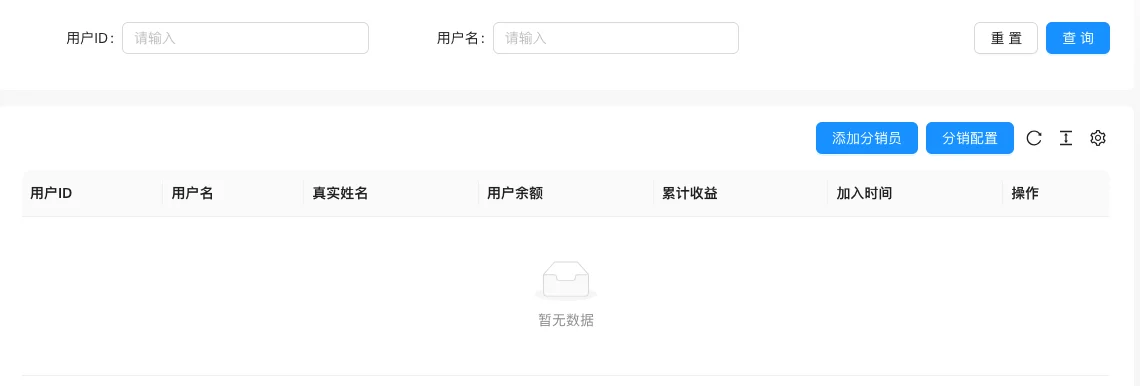
The screenshot is from the demonstration environment, the table may be in an empty data state; the position of the fields and the operation entry should be based on the current backend interface.
Setting item description
| Setting items | function | Value / Default | How to select / Fill in suggestions | Impact / Note |
|---|---|---|---|---|
| User ID / Username | Distributor account | — | Generated by system or fill according to platform requirements | ID changes will affect related data |
| Real Name | Settlement name | — | Fill in according to the page prompt and business requirements | Configure according to the actual performance in front |
| User Balance | Current available cash balance | — | Fill in according to the page prompt and business requirements | Configure according to the actual performance in front |
| Cumulative Earnings | Historical cumulative commission | — | Set according to actual business and cost, pay attention to the unit | Amount errors will directly affect transactions and settlements |
| Join Time | Time become a distributor | — | Set according to business rhythm, refer to default values | Setting it too short may affect the experience, and it may fail if it's too long. |
Operation steps
- Enter「Function → User/Transaction → Distribution Management」.
- Click「Distribution Configuration」to set the commission rules.
- Click「Add Distributor」, select a user and fill in the information.
- Go to Financial Management to view commission and withdrawal records.
Applicable scenarios and suggestions
- Before enabling distribution, clarify the commission ratio and settlement rules to avoid subsequent disputes.
- Distributor information involves real names, please pay attention to privacy protection.
Points to note
- Distribution income will affect financial data, it is recommended to modify the commission rules during off-peak periods.
- The mall mode needs to be enabled in 'Global Settings → Operation and SEO Status'.