
Download and install AnQi CMS
Introduce the various download channels of AnQi CMS installation package (official website, GitHub, mirror site), the method of version selection for different operating systems and architectures, and the file verification method of the installation package to ensure that the correct and complete version is downloaded.
Download channels
AnqiCMS provides various download channels, and users can choose the most convenient way to obtain the installation package according to their network environment
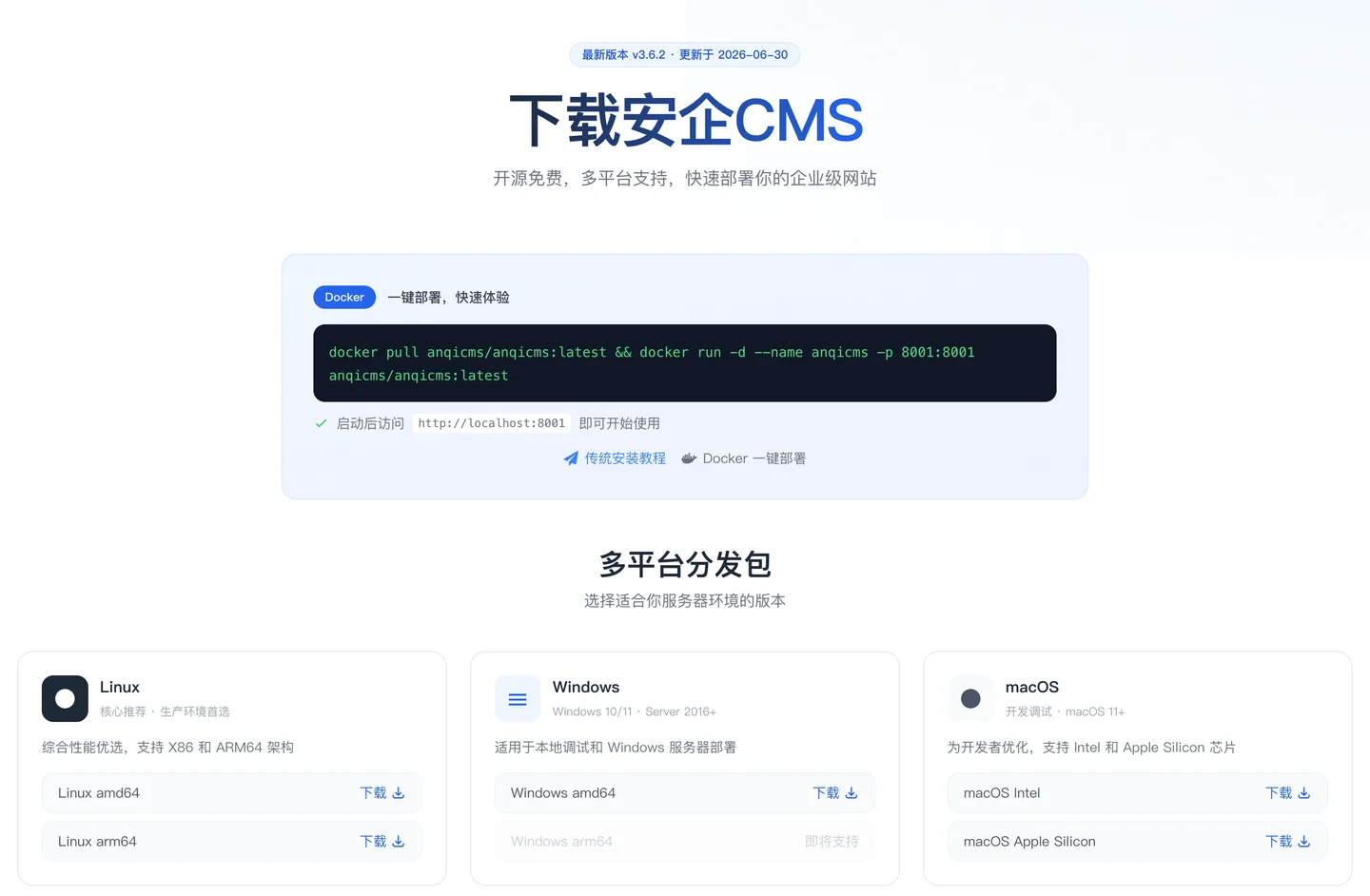
1. Official Website Download
Visit the official download page:https://en.anqicms.com/download
2. GitHub Releases
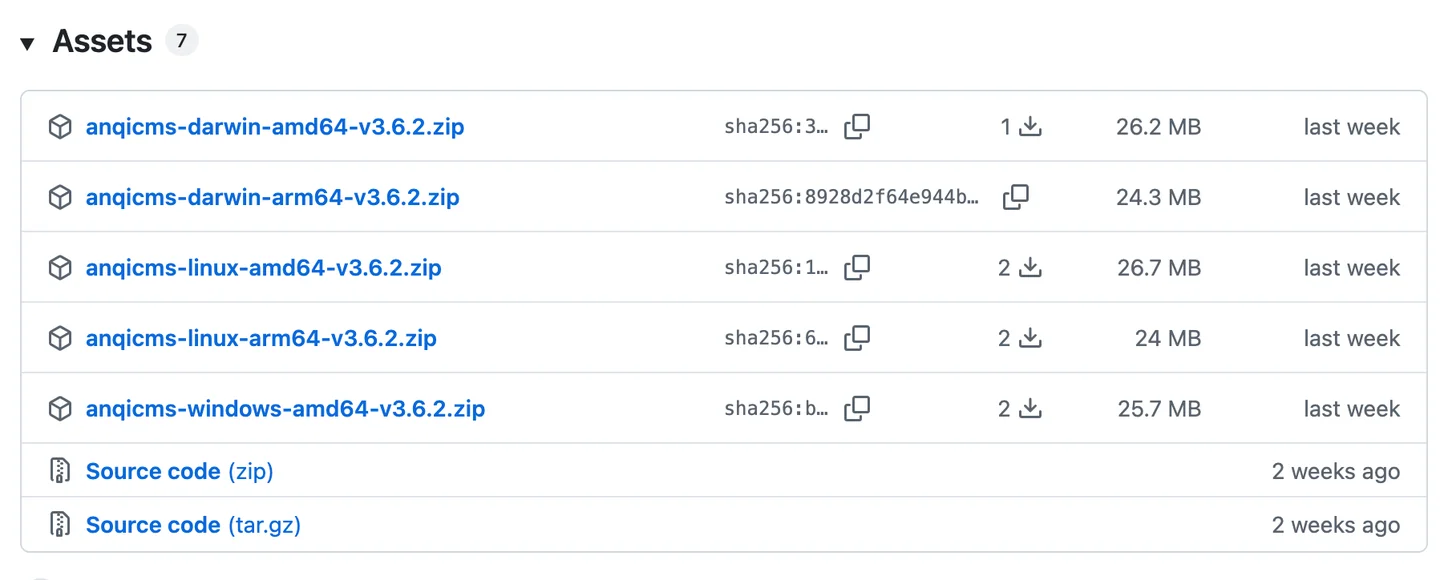
Visit the GitHub Releases page:https://github.com/fesiong/anqicms/releases
Each Releases version provides the following format of installation package:
- Linux amd64:
anqicms-linux-amd64-v版本号.zip - Linux arm64:
anqicms-linux-arm64-v版本号.zip - Windows amd64:
anqicms-windows-amd64-v版本号.zip - MacOS Intel:
anqicms-darwin-amd64-v版本号.zip - MacOS Apple Silicon:
anqicms-darwin-arm64-v版本号.zip
Naming rules:
anqicms-{操作系统}-{CPU架构}-v{版本号}.zip
3. Docker Hub
docker pull anqicms/anqicms:latest
Docker image address:https://hub.docker.com/r/anqicms/anqicms
4. Domestic mirror (GitCode)
https://gitcode.com/anqicms/anqicms
For domestic users, the download speed of the GitCode mirror is more stable.
Installation package content
Taking the Linux version installation package as an example, after unzipping, the following directory structure is obtained:
anqicms/
├── anqicms                  # 主程序可执行文件
├── start.sh                 # 启动脚本(Linux/Mac)
├── stop.sh                  # 停止脚本(Linux/Mac)
├── config.json              # 配置文件
├── config.sample.json       # 配置示例文件
├── template/                # 模板目录
│   └── default/             # 默认模板
├── public/                  # Web 根目录
│   ├── index.html           # 首页入口
│   └── static/              # 静态资源
├── system/                  # 后台管理界面
├── locales/                 # 多语言包
├── data/                    # 数据目录
├── doc/                     # 开发文档
├── dictionary.txt           # 词典文件
└── Icon.png                 # 图标文件
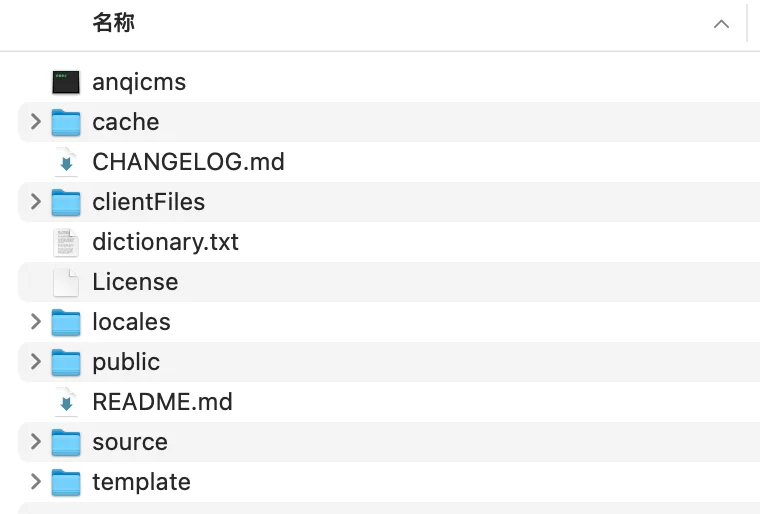
Description: The content of the Windows version installation package is consistent with the Linux version, and the executable file is
anqicms.exeProvide andinstall.bat/stop.batscript.
Version selection
Version number description
Version number format:v主版本.次版本.修订号
- Main version: Major architectural changes or functional restructuring
- Minor version: Feature iteration, new core features
- Revision number: Bug fixes, minor optimizations
For example:v3.6.2Indicates the main version 3, the sub-version 6, the 2nd revision.
Installation package naming comparison for each platform
| platform | Installation package naming example | executable file |
|---|---|---|
| Linux (amd64) | anqicms-linux-amd64-v3.6.2.zip |
anqicms |
| Linux (arm64) | anqicms-linux-arm64-v3.6.2.zip |
anqicms |
| Windows (amd64) | anqicms-windows-amd64-v3.6.2.zip |
anqicms.exe |
| MacOS (Intel / amd64) | anqicms-darwin-amd64-v3.6.2.zip |
anqicms |
| MacOS (Apple Silicon / arm64) | anqicms-darwin-arm64-v3.6.2.zip |
anqicms |
Select suggestions
| Usage scenario | Recommended Version |
|---|---|
| New Site Launched | ✅ Latest Stable Version (current v3.6.2) |
| Site upgrade already exists | ✅ Upgrade to the Latest Version |
| Development and testing | ✅ Stable Version or GitHub Master Branch |
| secondary development | ✅ Source Code Compilation (see Section 2.6) |
Prompt: It is not recommended to use the development version (alpha/beta) in a production environment to avoid encountering unfixed bugs.
❓ What is the difference between amd64 and arm64 in the package name? Which one should I download?
This is the CPU architecture identifier:
| Label | Meaning | Common scenario |
|---|---|---|
amd64/x86_64 |
Traditional 64-bit X86 architecture | The vast majority of cloud servers (Alibaba Cloud, Tencent Cloud, Huawei Cloud), most PCs |
arm64/aarch64 |
ARM 64-bit architecture | Apple M1/M2/M3 Mac, Raspberry Pi, some ARM servers (such as Huawei Kunpeng) |
386 |
32-bit X86 architecture | Old equipment (AnQiCMS no longer provides 32-bit packages, as they are too rare) |
How to determine your server architecture?
uname -m
# 输出 x86_64 → 下载 amd64 版本
# 输出 aarch64 → 下载 arm64 版本
If not sure,99% of the cases choose amd64It is correct.
❓ How to deal with the slow download speed, even failure, of GitHub Releases in China?
This is the most common problem among domestic users. Here are some alternative solutions:
| Plan | Speed | Description |
|---|---|---|
| Official website download | ★★★★ | https://en.anqicms.com/download— Domestic CDN, the fastest speed |
| GitCode mirror | ★★★★ | https://gitcode.com/anqicms/anqicms— Domestic code hosting platform, stable download |
| GitHub proxy | ★★ | Byghproxy.comand other proxy acceleration downloads, but not very stable |
| Docker image | ★★★★ | Docker Hub has mirror acceleration in China,docker pull anqicms/anqicms |
The most recommended way is to download from the official website or install Docker.
❓ FAQ ③: After unzipping the installation package, I found that there is no config. file, only config.sample., what should I do?
This is a normal phenomenon.config.sample.jsonIt is a configuration example, you need:
# 复制一份作为实际的配置文件
cp config.sample.json config.json

# 然后编辑 config.json,修改端口等参数(如果需要)
# 如果保持默认配置(端口 8001),也可以不修改
If there is noconfig.jsonAnQiCMS will automaticallyconfig.sample.jsoncopy one.config.jsonSo if you accidentally delete it, just copy it again, there is no need to redownload and install the package.
❓ Question Answer ④: What is the purpose of the dictionary.txt in the installation package? Can it be deleted?
| File | Purpose | Can it be deleted |
|---|---|---|
dictionary.txt |
Chinese word segmentation dictionary, used for full-text search and keyword extraction | ❌ Do not delete, or the full-text search function will be abnormal |
doc/Table of contents |
Developer Documentation | ✅ It can be deleted in the production environment |
Basically, except fordoc/The directory (pure document) and other files are necessary for operation, it is recommended to keep them unchanged.
Package verification
After downloading, it is recommended to verify the integrity of the file. The GitHub Releases page will provide the SHA256 verification value for each package.
Linux/Mac verification method:
sha256sum anqicms-linux-v3.6.2.zip
# 对比输出的校验值与官网公布的是否一致
Windows verification method:
certutil -hashfile anqicms-windows-v3.6.2.zip SHA256