
Customer留言
📅 November 21, 2026
👁️ 0
Customer留言
Customer messages are used to view user submitted inquiries, and it is the same function as 'Website Message Management.'
Entry Path
Top menu of backend → 'Customer' → 'Customer留言'.Actual address:/system/customer/guestbookrequires administrative privileges(canAdmin)
Function description
List display time, username, phone number, Email, message content, IP, status and operation, and provide 'Export留言' 'Website留言设置'.
Screenshot of the interface
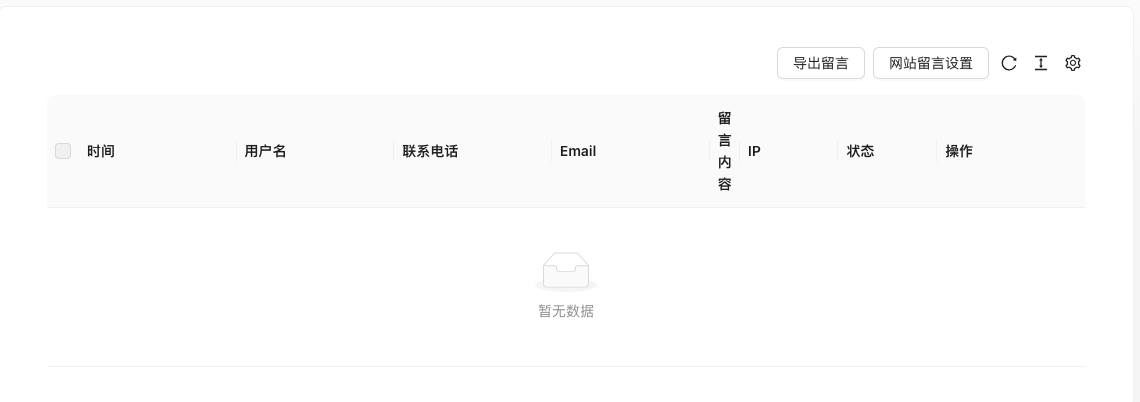
The screenshot is from the demonstration environment, the table may be in an empty data state; the position of the fields and the operation entry should be based on the current backend interface.
List field description
| field | Meaning | Value or source | Impact on the operation |
|---|---|---|---|
| Time | Submission time | Back-end record, read-only | Used for identification and filtering, cannot be directly edited |
| Username | Caller name | Back-end record, read-only | Used for identification and filtering, cannot be directly edited |
| Phone number / Email | Contact Information | Back-end record, read-only | Used for identification and filtering, cannot be directly edited |
| Message content | Message content | Back-end record, read-only | Used for identification and filtering, cannot be directly edited |
| IP | Submit IP | Back-end record, read-only | Used for identification and filtering, cannot be directly edited |
| Status | Unprocessed / Processed | Back-end record, read-only | Used for identification and filtering, cannot be directly edited |
| Operation | View details, delete | Back-end record, read-only | Used for identification and filtering, cannot be directly edited |
| :— | :— | ||
| Time | Submission time | ||
| Username | Caller name | ||
| Phone number / Email | Contact Information | ||
| Message content | Message content | ||
| IP | Submit IP | ||
| Status | Unprocessed / Processed | ||
| Operation | View details, delete |
Operation steps
- Enter 'Customer → Customer留言'.
- View and handle messages.
- Click 'Website留言设置' to maintain the front-end form fields.
- Click 'Export Messages' when needed to preserve.
Applicable scenarios and suggestions
- Enable captcha and sensitive word filtering to reduce spam messages.
- Customize the message fields as needed to avoid long forms that reduce submission rates.
Points to note
- Leave phone numbers, email addresses, and other personal information in the comments. Pay attention to desensitization when exporting and taking screenshots.
- Deleted messages cannot be restored.