
Subscribe
📅 November 21, 2026
👁️ 0
Subscribe
Subscribe to maintain the email subscription users and send subscription emails, the same function as 'Email Subscription'.
Entry Path
Top menu of the back end → 'Marketing' → 'Subscribe'. Actual address:/system/promotion/subscriptionrequires administrative privileges(canAdmin)
Function description
The page supports filtering by category, adding subscribers, and sending emails. The list fields include ID, creation time, email, remarks, status, number of sends/error attempts.
Screenshot of the interface
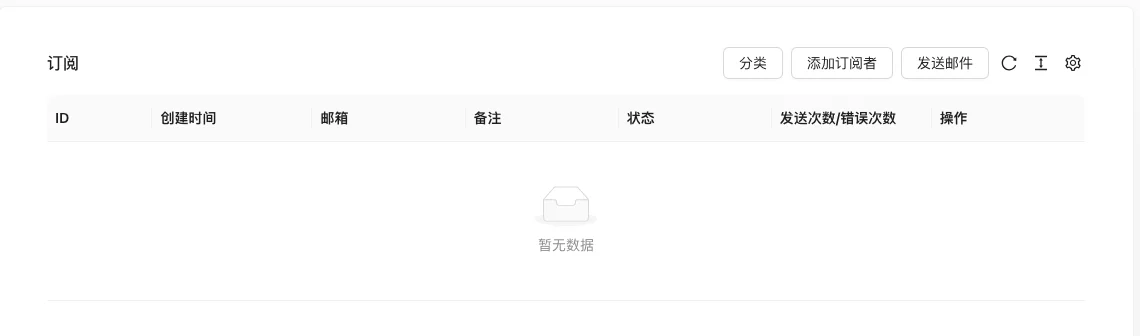
The screenshot is from the demonstration environment, the table may be in an empty data state; the position of the fields and the operation entry should be based on the current backend interface.
Setting item description
| Setting items | function | Value / Default | How to select / Fill in suggestions | Impact / Note |
|---|---|---|---|---|
| ID / Creation Time | Subscription record identifier | — | Set according to business rhythm, refer to default values | Setting it too short may affect the experience, and it may fail if it's too long. |
| Subscriber email | — | Enter real and valid information, the format must meet the platform requirements | Contains personal information, be careful to desensitize when exporting and screenshot | |
| Note | Back-end description | — | Brief description, avoid being vague | Whether to display is determined by the template |
| Status | Subscription confirmation status | — | Enable or disable according to business needs | Status change immediately affects availability |
| Number of sends/error attempts | Delivery statistics | — | Manually execute or configure an automatic strategy as needed | Check the log to locate the cause when it fails |
| Operation | Edit, delete, and send emails | — | Manually execute or configure an automatic strategy as needed | Check the log to locate the cause when it fails |
Operation steps
- Enter 'Marketing → Subscribe'.
- Click 'Add Subscriber' to enter the email address.
- Filter target users by category
- Click 'Send Email' to mass send and view the number of errors.
Applicable scenarios and suggestions
- Cooperate with the subscription confirmation email to ensure the email is valid.
- Test in small batches before mass distribution.
Points to note
- The subscription email is personal information, note desensitization when exporting and taking screenshots.
- Addresses with a high number of errors should be cleaned up in a timely manner.