
Document comment management
Document comment management
Document comments are used to view and review user comments on documents, and manage comment status and content.
Entry Path
Top menu of the background → 'Function' → 'Interactive/Message' → 'Document Comment Management'. Actual address:/system/plugin/interaction/commentrequires administrative privileges(canAdmin)
Function description
List displays comment time, document title, username, comment content, IP, status, and operation. Comments can be reviewed and deleted here.
Screenshot of the interface
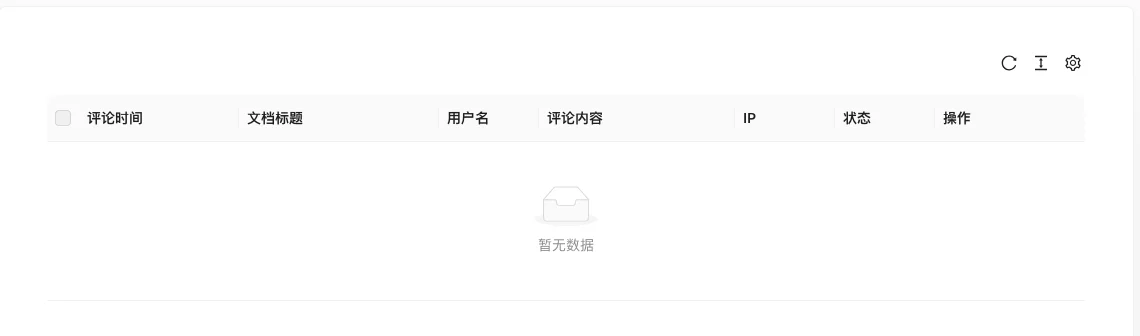
The screenshot is from the demonstration environment, the table may be in an empty data state; the position of the fields and the operation entry should be based on the current backend interface.
List field description
| field | Meaning | Value or source | Impact on the operation |
|---|---|---|---|
| Comment Time | Submission Time | Back-end record, read-only | Used for identification and filtering, cannot be directly edited |
| Document title | Document to which the comment belongs | Back-end record, read-only | Used for identification and filtering, cannot be directly edited |
| Username | Nickname of the commentor | Back-end record, read-only | Used for identification and filtering, cannot be directly edited |
| Comment content | Comment content | Back-end record, read-only | Used for identification and filtering, cannot be directly edited |
| IP | Submit IP | Back-end record, read-only | Used for identification and filtering, cannot be directly edited |
| Status | Pending / Approved / Denied | Back-end record, read-only | Used for identification and filtering, cannot be directly edited |
| Operation | Review, delete, etc. | Back-end record, read-only | Used for identification and filtering, cannot be directly edited |
| using | Value / Default | How to select / Fill in suggestions | Impact / Note |
| :— | :— | :— | :— |
| Comment Time | Submission Time | — | Set according to business rhythm, refer to default values |
| Document title | Document to which the comment belongs | — | Fill in a name that is easy to identify and consistent with the display on the front end |
| Username | Nickname of the commentor | — | Fill in according to the page prompt and business requirements |
| Comment content | Comment content | — | Brief description, avoid being vague |
| IP | Submit IP | — | Enter real and valid information, the format must meet the platform requirements |
| Status | Pending / Approved / Denied | — | Enable or disable according to business needs |
| Operation | Review, delete, etc. | — | Click the corresponding operation as needed |
Operation steps
- Go to 'Function → Interaction/留言 → Document Comment Management.'
- Search comments by status or document.
- Click the review operation to approve or deny comments.
- Delete spam comments.
Applicable scenarios and suggestions
- Sites with comments enabled should be reviewed regularly to avoid advertisements and illegal content.
- Work with the captcha and sensitive word filtering in 'Content Security Settings' to reduce spam comments.
Front-end call example
{% commentList comments with archiveId="1" limit="10" %}
  {% for item in comments %}
    <div>{{ item.UserName }}:{{ item.Content }}</div>
  {% endfor %}
{% endcommentList %}
The comment submission form is rendered by the template, and you need to enable the captcha as needed in the 'Content Security Settings.'
Points to note
- The comment list includes user IP and nickname, be careful to protect privacy when taking screenshots and exporting data.
- Deleting a comment cannot be recovered, please confirm before operation.
- 'No data' is displayed when the list is empty, indicating that there are no pending comments or comments filtered by the screen conditions.