
Traffic analysis
📅 November 21, 2026
👁️ 0
Traffic analysis
Traffic Analysis page displays the access statistics and access records of site visitors.
Entry Path
Top menu →「Data」→「Traffic Analysis」。Actual address:/system/statistic/trafficrequires administrative privileges(canAdmin)
Function description
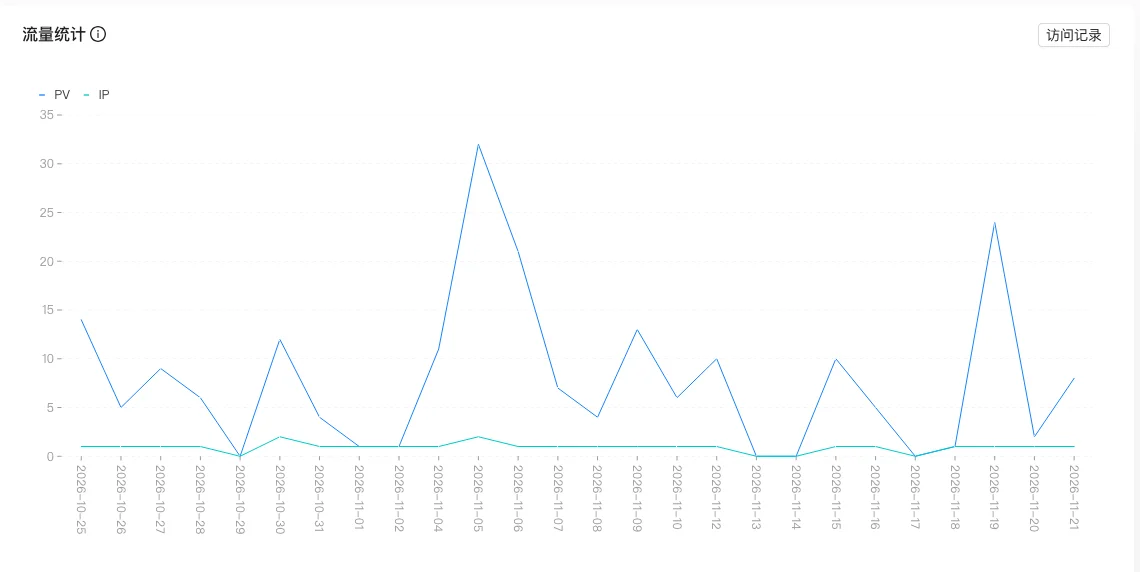
The page provides two entries,「Traffic Statistics」and「Access Records」,for viewing traffic trends and details.
Screenshot of the interface
Index口径
| Indicator | Calculation口径 | Data source | Time range | Delay / Note |
|---|---|---|---|---|
| Traffic volume/traffic trend | Number of visits and time changes of the site | Access log | Determined by the default range of the report | May be different from the third-party statistics口径 |
Source of口径: Backend
controller/manageController/statistics.goofStatisticTraffic(About line 27), retrieve data from the statistical aggregation table according to the site and time range of the incoming data.
Operation steps
- Enter「Data → Traffic Analysis」to view statistics.
- Switch to「Access Records」to view details.
- Analyze the reasons for traffic changes in combination with the content release time.
Applicable scenarios and suggestions
- When traffic drops sharply, check if the site is closed and if the cache is abnormal.
- Cooperate with search statistics to optimize content direction.
Points to note
- The visit statistics are based on the site's log, which may be different from the criteria of third-party statistical tools.
- The visit records contain IP, and note desensitization when exporting and screenshotting.