
The AnQi CMS multi-site default (Go project) site migration tutorial Default (Go project) site migration Log in to the AnQi CMS backend, find the Backup and Restore feature in the Function Management, and create a new backup record.This is to back up the database data into a file.
/www/wwwrootand complete the extraction.serverThe port, if other security CMS has already been installed on the new server, then the port here needs to be different from the others and should be directly deleted.mysqlConfiguration information.cache/data/public/templateOther directories and files outside the directory. Of course, you can also not delete them./www/wwwrootand complete the extraction.
Developing desktop client software has always been one of the common tasks for programmers, and Go language is increasingly being used for developing various applications due to its simplicity, efficiency, and rich third-party libraries.Today we will combine Go language and HTML, using the open-source project Sciter's Go binding library go-sciter, to show everyone how to build a cross-platform desktop client with the least development effort.What is Sciter?
Anchor text, which is the text part of a hyperlink, plays a crucial role on a webpage.By clicking on the anchor text, users can conveniently navigate between web pages, thereby greatly enhancing the user experience.At the same time, anchor text also plays an indispensable role in the field of Search Engine Optimization (SEO).Search engines analyze the content of anchor text to judge the theme and relevance of the linked page, thereby affecting the page's ranking.Therefore, setting anchor text reasonably is of great importance for improving the SEO effect of a website.
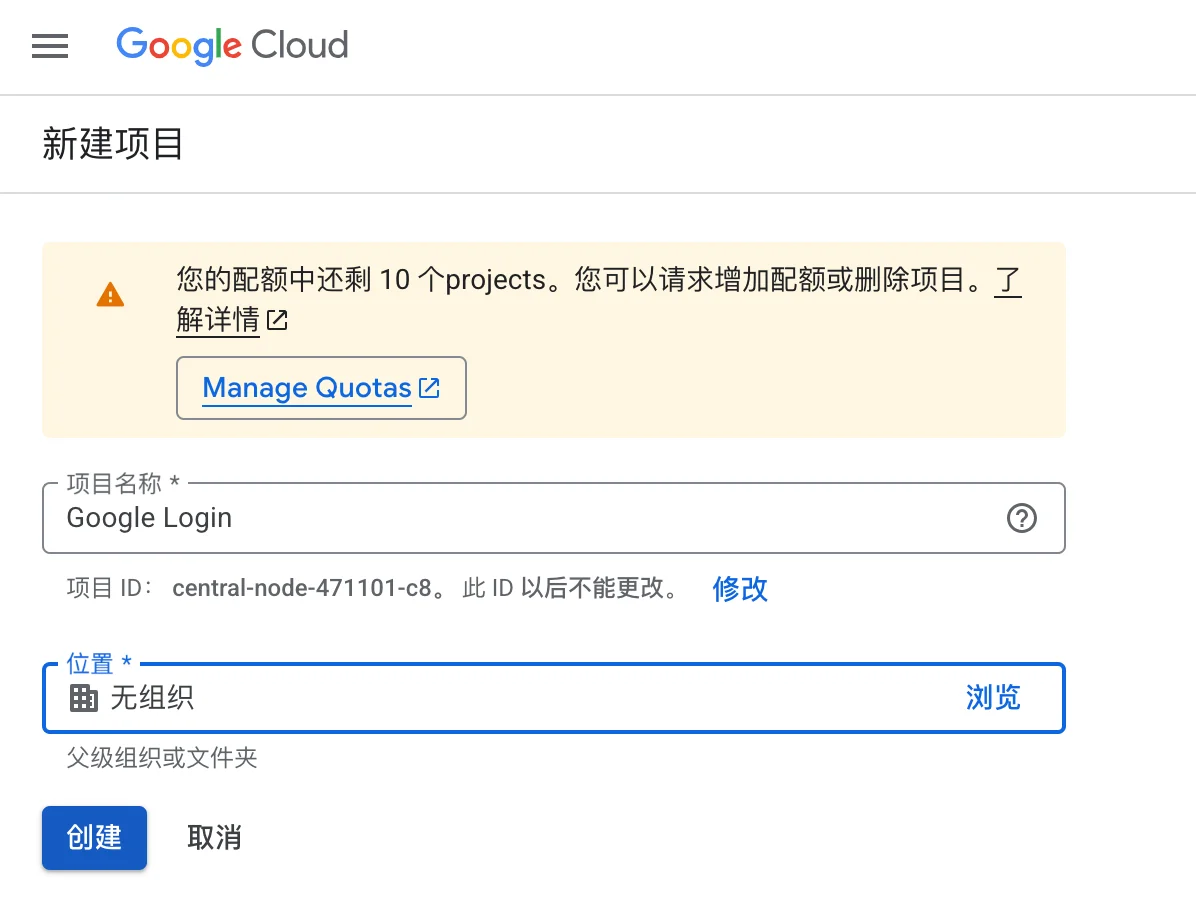
Prerequisites: You must have a Google account, visit https://console.cloud.google.com/ and log in, create a Google API project. If you already have a project, you can skip this step. Quick access address: https://console.cloud.google.com/projectcreate. Enter the project name on the interface that appears, fill in the English name, and then click the create button to complete the creation.
