
To display the current time in AnQi CMS template, you can use the now tag.The `now` tag allows you to format and display the current time according to the Go language's time formatting string. Use the now tag in the template, you can call the now tag in the following way: {% now "2006-01-02 15:04:05" %} This will display the current time, in the format of Year-Month-Day Hour:Minute:Second .Go Language's Time Formatting String Go
You can display the current time in Anqi CMS templates by using the now tag.The `now` tag allows you to format and display the current time according to the Go language's time formatting string.
In the template, you can call the now tag in the following way:
{% now "2006-01-02 15:04:05" %}
This will display the current time, formatted as年-月-日 时:分:秒.
Go language uses a specific reference time to define the time format.The following are commonly used time formatting strings:
2006year01month02Day15Hour (24-hour system)04minute05seconds
You can combine these strings to create a custom time format.For example:
2006-01-02It will be displayed as2023-04-01
15:04:05It will be displayed as16:45:30
2006年01月02日 15时04分05秒It will be displayed as2023年04月01日 16时45分30秒
The 'now' tag is part of the Anq CMS template engine, it allows you to insert the current time into a template. You need to provide a format string that follows the Go language's time formatting rules. Syntax:
{% now [format] %}
Parameters:
format: A string that specifies the time display format. This is optional; if not provided, the default time format will be used. Example:
{% now "2006年01月02日" %}
This will display the current date like April 01, 2023.
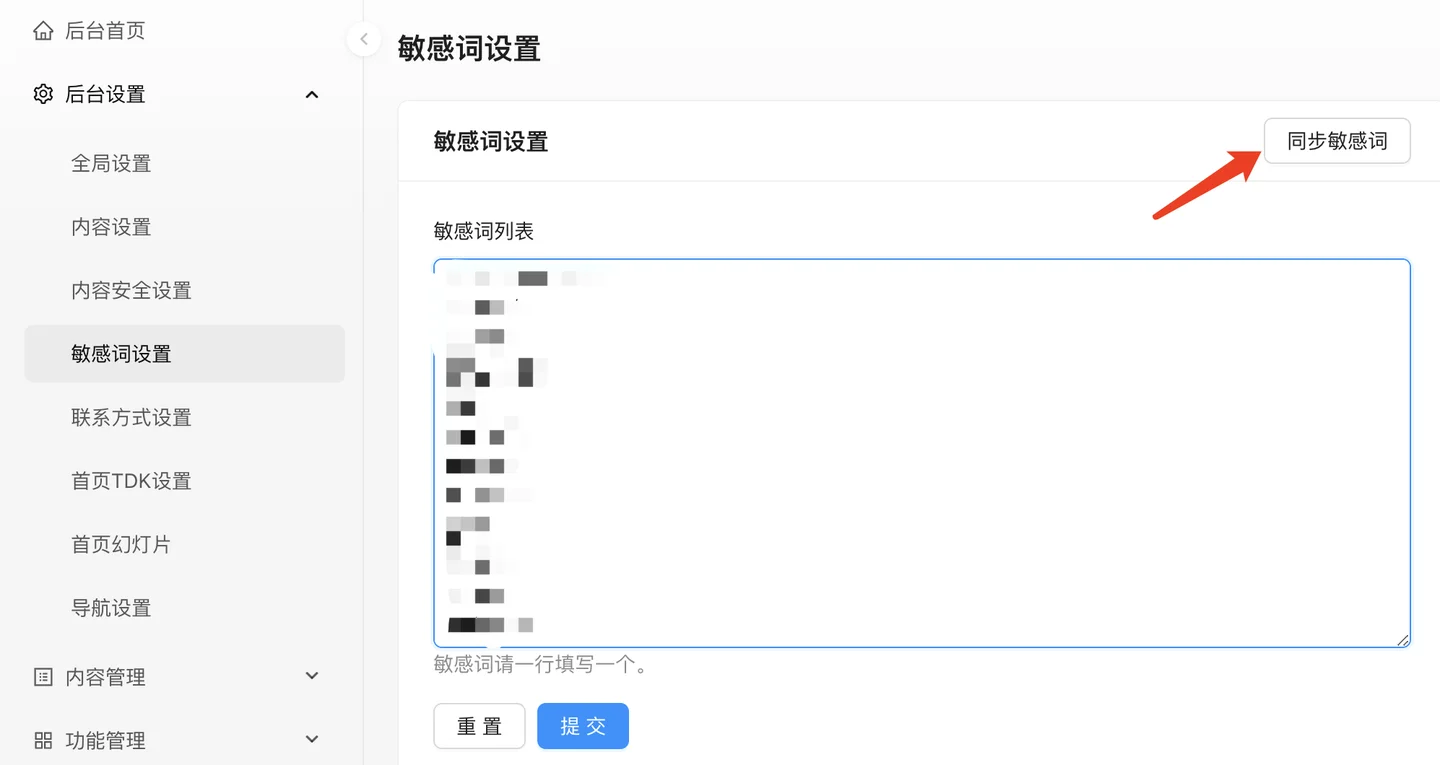
Sensitivity word filtering is a technology implemented in websites, applications, or platforms to carry out content review, used to prevent users from posting content that contains inappropriate, illegal, or content that does not comply with policies.We often need to worry about certain users' posts containing sensitive words during the actual operation of our website, these words often lead to our website being reported by users, even being banned by server operators, investigated by relevant departments, and fined.To prevent this situation from happening, we need to filter sensitive words.Implementation of sensitive word filtering involves multiple steps, including technical implementation and strategy formulation
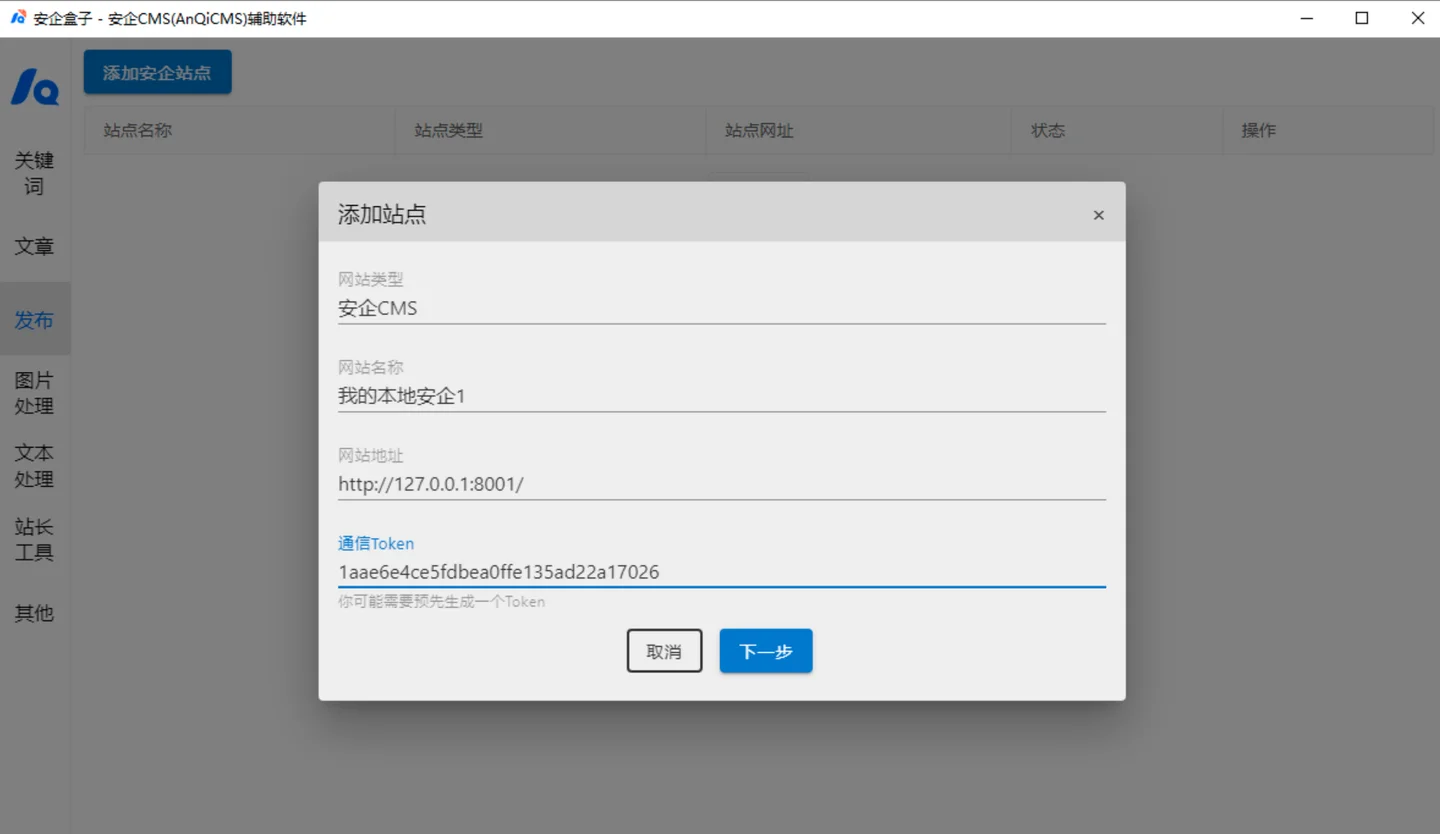
Add site Add an AnQi CMS site in the "Site Management", select "AnQi CMS" in the pop-up interface for selecting site type.Fill in the website name, such as: My Security Site; Fill in the website address, such as: http://www.mycms.com ;Enter the communication Token, Token from the security site backend ->Function management -> Get from content import interface function.Select the publishing site Go to the Txt article publishing interface Click the add site button on the left Select the site to be published
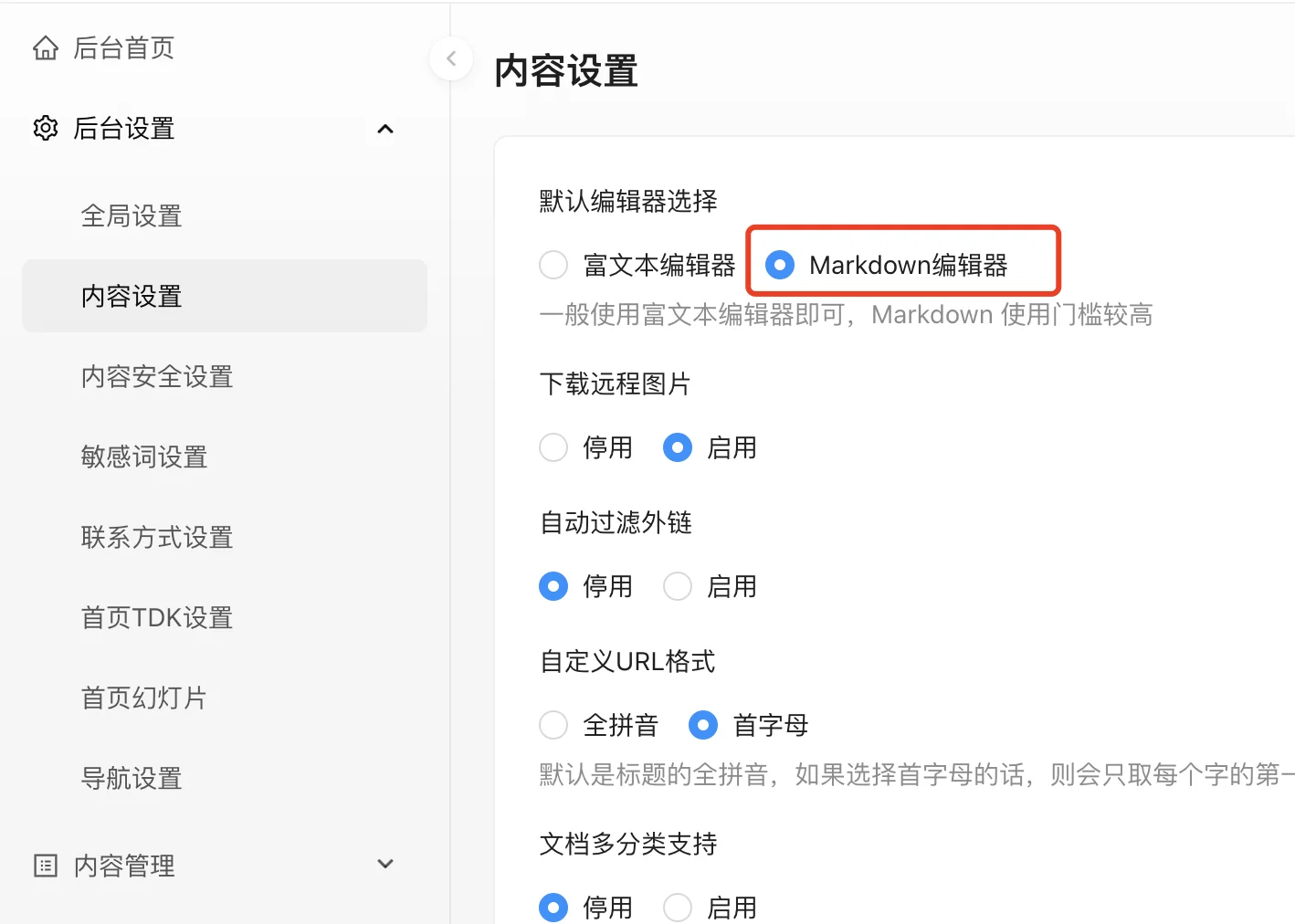
What CMS (Content Management Systems) support Markdown editors?I don't know about others, but Anqi CMS is one of them.Use the Markdown editor The default safe CMS uses a rich text editor, so we need to go to the settings to enable the Markdown editor to use the Markdown editor.After enabling it, we can happily use the Markdown editor on the document publishing interface.Markdown editor description of the Markdown used by AnQiCMS
