The pseudo-static rule management feature can implement a customized URL rule display plan to achieve the advantages of a static page, while ensuring the need for real-time content updates.Helps with link personalization, enhancing the friendly nature of search engines (SEO), and making URLs aesthetically pleasing, etc.
The pseudo-static rule management feature can implement a customized URL rule display plan to achieve the advantages of a static page, while ensuring the need for real-time content updates.Helps with link personalization, enhancing the friendly nature of search engines (SEO), and making URLs aesthetically pleasing, etc.
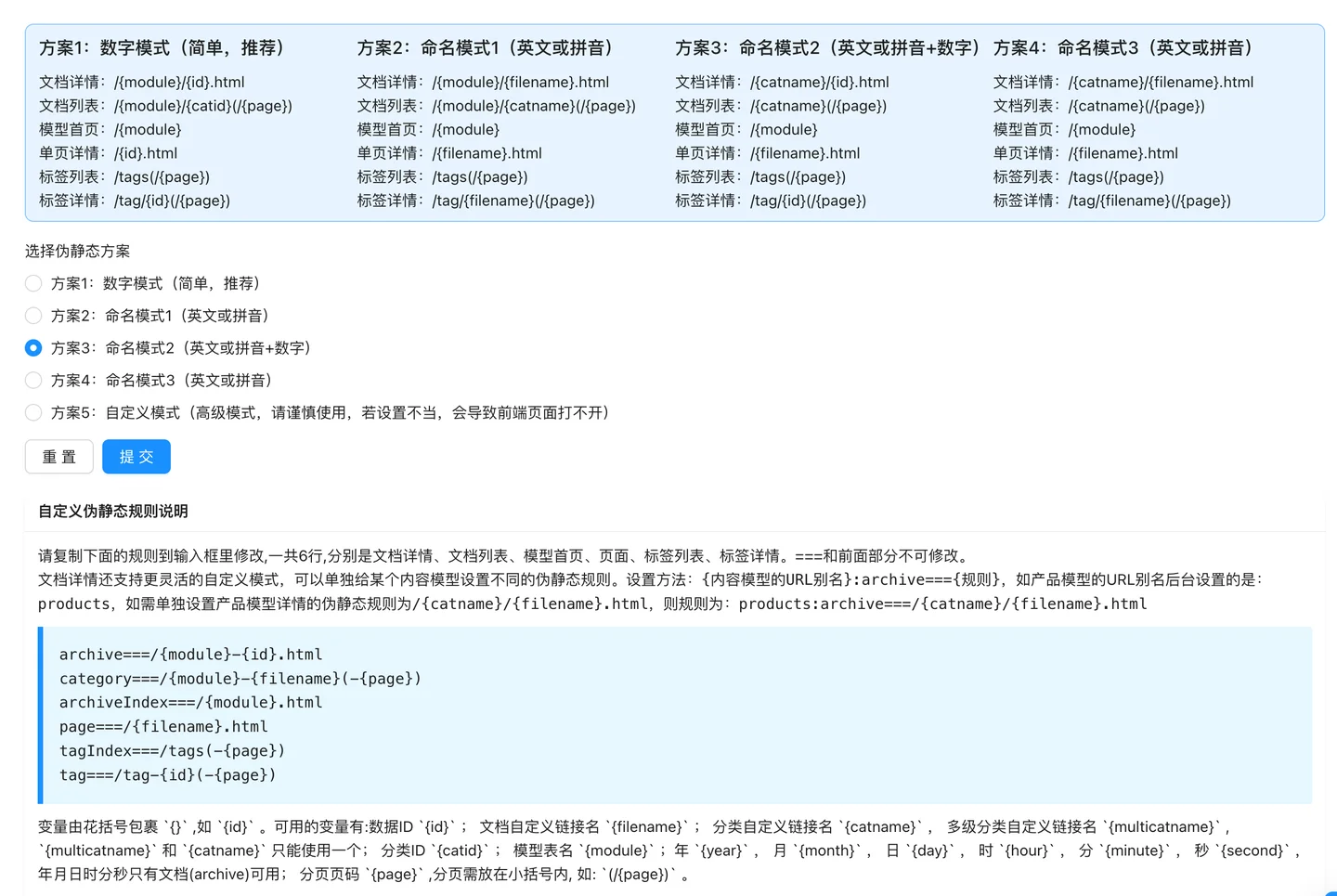
AnQi CMS integrates commonly used website URL rules and provides 4 default static rule schemes, which provide convenient direct selection static rule schemes for domestic construction websites and foreign trade websites.Users can also use a custom advanced mode to achieve more free customization of URL rules, meeting the requirements of more flexible and personalized URL rules.
Plan 1 is a minimalist URL rule, displayed through ID, with a short URL length, and is used more on domestic websites.
Document Details: /{module}/{id}.html Document List: /{module}/{catid}(/{page}) Model Home: /{module} Single Page Details: /{id}.html Tag List: /tags(/{page}) Tag Details: /tag/{id}(/{page})
Plan 2 naming pattern, suitable for using different directories for articles based on different models, the default is to use the pinyin of the title as the URL, and it is widely used on domestic sites and foreign trade sites.
Document Details: /{module}/{filename}.html Document List: /{module}/{catname}(/{page}) Model Homepage: /{module} Single Page Details: /{filename}.html Tag List: /tags(/{page}) Tag Details: /tag/{filename}(/{page})
Plan 3 combines naming and numeric patterns and is relatively common on domestic websites.
Document details: /{catname}/{id}.html Document list: /{catname}(/{page}) Model homepage: /{module} Single page details: /{filename}.html Tag list: /tags(/{page}) Tag details: /tag/{id}(/{page})
Plan 4 has been modified based on the naming pattern of Plan 2, showing different URL directories according to different categories, and has been classified according to categories for the purpose of classifying articles.It is relatively common on foreign trade websites.
Document details: /{catname}/{filename}.html Document list: /{catname}(/{page}) Model homepage: /{module} Single page details: /{filename}.html Tag list: /tags(/{page}) Tag details: /tag/{filename}(/{page})
Plan 5 belongs to the advanced mode, using Plan 5 requires careful operation, improper settings may cause the front-end page to not open.
The custom rules currently allow free setting of 6 types of URL rules for link types, namely document details, document list, model homepage, page, tag list, and tag details.===and the preceding part may not be modified. For example:
archive===/{module}-{id}.html category===/{module}-{filename}(-{page}) archiveIndex===/{module}.html page===/{filename}.html tagIndex===/tags(-{page}) tag===/tag-{id}(-{page})
Plan 5 custom rules support the free combination of several built-in variables. Variables are enclosed in curly braces.{}, such as{id}.
The available variables are:
{id};{filename};{catname};{multicatname},{multicatname}and{catname}Only one semicolon can be used{catid};{module};{year}Month{month}Day{day}Hour{hour}, minute{minute}, second{second}, year-month-date hour-minute-second are only available in documents (archive);{page}, page numbers should be placed within parentheses, such as:(/{page}).

Anqi Content Management System (AnqiCMS), is an enterprise-level content management system developed using GoLang, it is easy to deploy, software is secure, the interface is elegant, small, executes quickly, and websites built with AnqiCMS can prevent many security issues from occurring.Supports Linux, Windows, and MacOS installation.
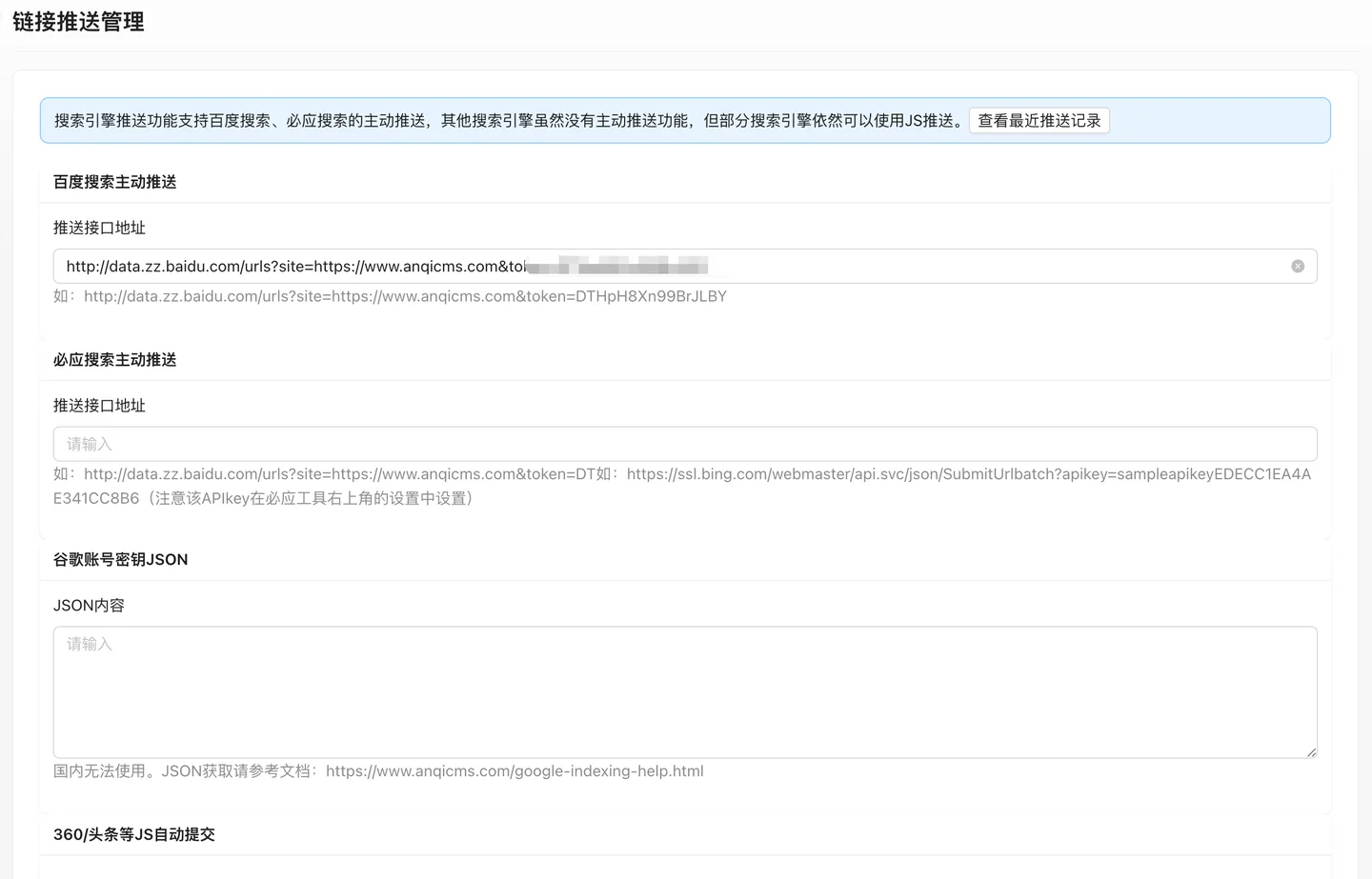
The link push function supports automatic push of new and updated content on the website to search engines in real time, allowing search engines to discover the updated content of the website in a timely manner and promote the inclusion of the website.The search engine push feature supports the active push of Baidu search and Bing search, while other search engines do not have the active push feature, but some search engines can still use JS push.
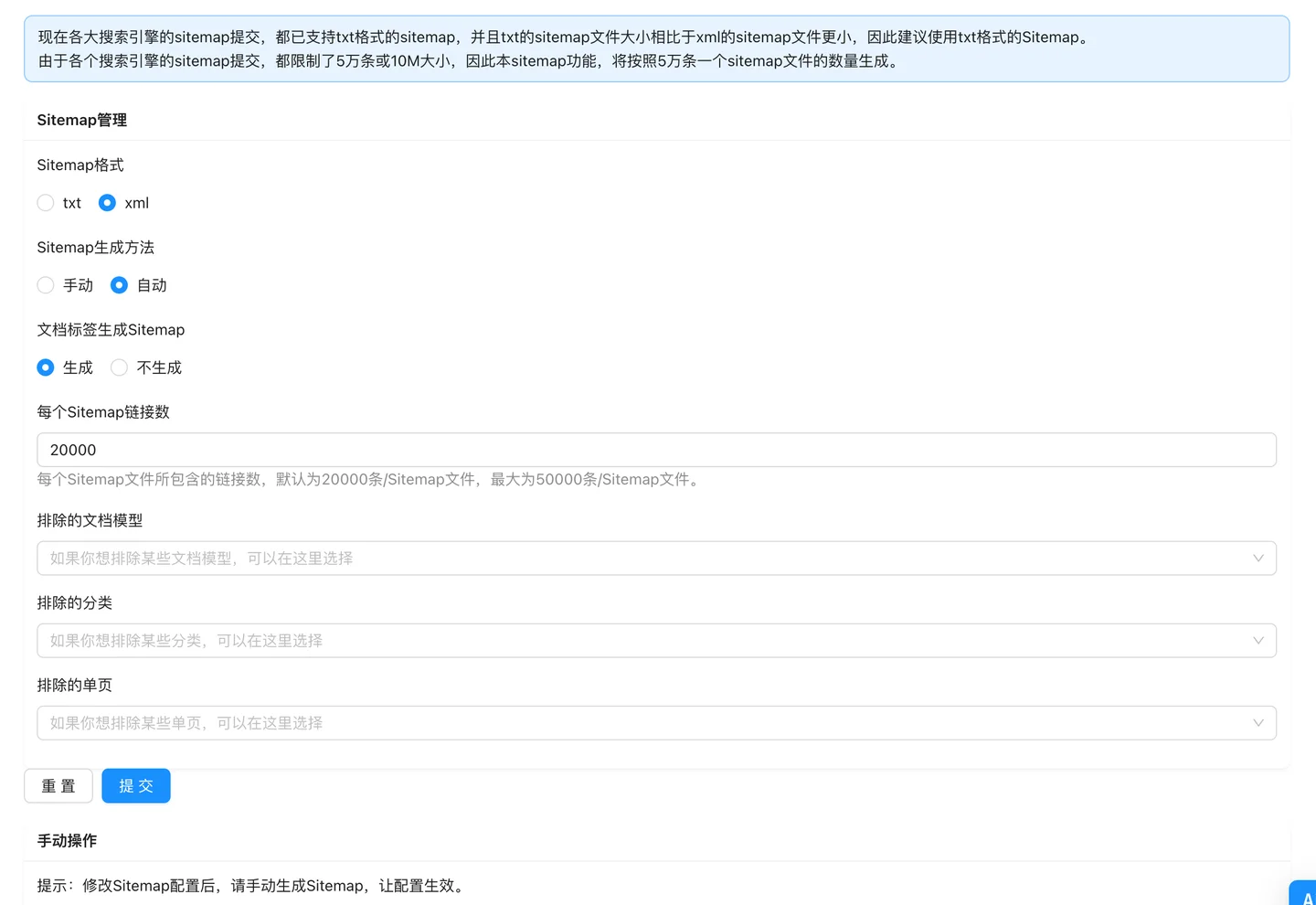
Sitemap is the map of a website, which can gather categories, article content, pages, tags, and other information together for display, making it convenient for search engine spiders to quickly crawl all the publicly available content of the website.Sitemap is an important part of a website's SEO, expanding its visibility on search engines.
